
The dark horse of strength training
Your workout,
in your ears.
Hear two sets
Gym Jockey isn’t another logger with a timer bolted on. It starts from one observation: the gym is no place to read, and under the bar is no place to think. So you build the workout beforehand, and at the gym the app talks you through it set by set, with your reps, your plates and your own cues. Between sets you hear your playlist; during the set, the best part of the song you picked for that lift.
For iPhone · free during the TestFlight beta. What's TestFlight?
Two sets, as you'll hear them.
Demo, stripped down to a single exercise. Imagine yourself at the bench with your headphones on and your phone on the floor beside you.
Abandon workout and lose progress?
End workout early?

Try it: tap ▶ and run two sets. Sound on.
That's the real thing. It's free during the beta.
Why it exists
Gym Jockey was born out of six frustrations. You may recognize them.
-
01
You're ready to lift.
But not to this song.You’re under the bar, waiting for the needle drop — and your playlist is wherever it happens to be. You need pure adrenaline now. But between sets you need to dial it back. That’s two jobs, and no playlist does both.
Gym Jockey splits the two: your playlist between sets, and the part of the right song you chose for the exercise itself.
See how music works -
02
Blanking under the bar
What am I chasing? What I did last time? The record on this set? You stared at your phone the whole rest, and you still don’t know.
The app says it in your ears as you set up — the reps, the plates, last time, the record to beat. You listen, and you lift.
See a set -
03
You wrote it down.
You still forgot.You wrote them all down — the grip, the brace, the position of your feet. Half a dozen cues you mean to read, and mostly don’t. And when you do, your eyes slide over the lot and none of it sticks.
Gym Jockey speaks the right cue at the right moment — before the set, not buried in your notes. You decide when it appears.
See how notes work -
04
The timer goes off.
You were somewhere else.You’re texting a friend when the timer ends. So you finish writing, wander back to the bar, and wonder why your workouts take so long. You’re in the middle of something else when you should already be in position.
While you recover, the app eases you toward the next set with chimes that tighten as the clock runs down, so by the end you’re in position, not looking down at a notification. You can also give each set its own rest, or let your heart rate decide.
See the rest -
05
You'll change it later.
If you remember.Mid-workout, the idea arrives: change the rep range, try the wider grip. You’ll fix the routine afterward — but afterward arrives late, if it arrives at all. And how often do you start a session having clean forgotten what you’d resolved last time: deload, work on form, ease off?
Hold the mic, on phone or Watch, and say it: the memo waits before and after every session until you act on it. And at the end of a session, tell your future self the goal for the next one — it’s waiting when you start it.
See memos -
06
You track everything.
Where are the insights?Sleep, energy, the cut, the cold — you can track all of it. Then it sits in a list, nowhere near the lifts it was meant to explain. Is the wine wrecking your sleep, and your sleep wrecking your squat? That dip in March — was it the program, or your cold?
Here what you track is laid against your sets, month by month, so when the numbers dip you can see what was behind it — and whether it was worth worrying about.
See what your numbers say
Recognize a few of those?The beta is open, for iPhone.
Thirty seconds of the right energy beats three so-so minutes.
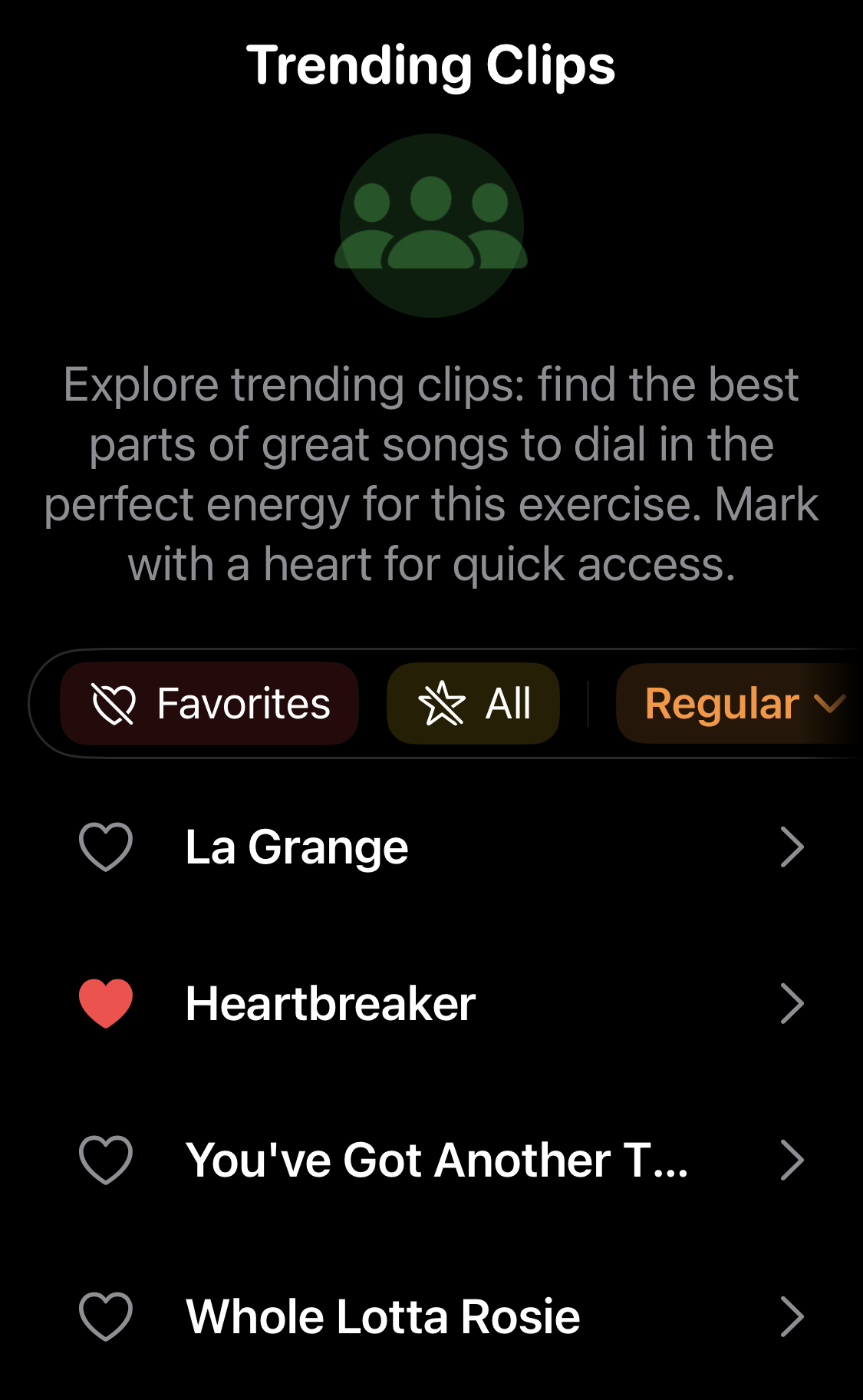
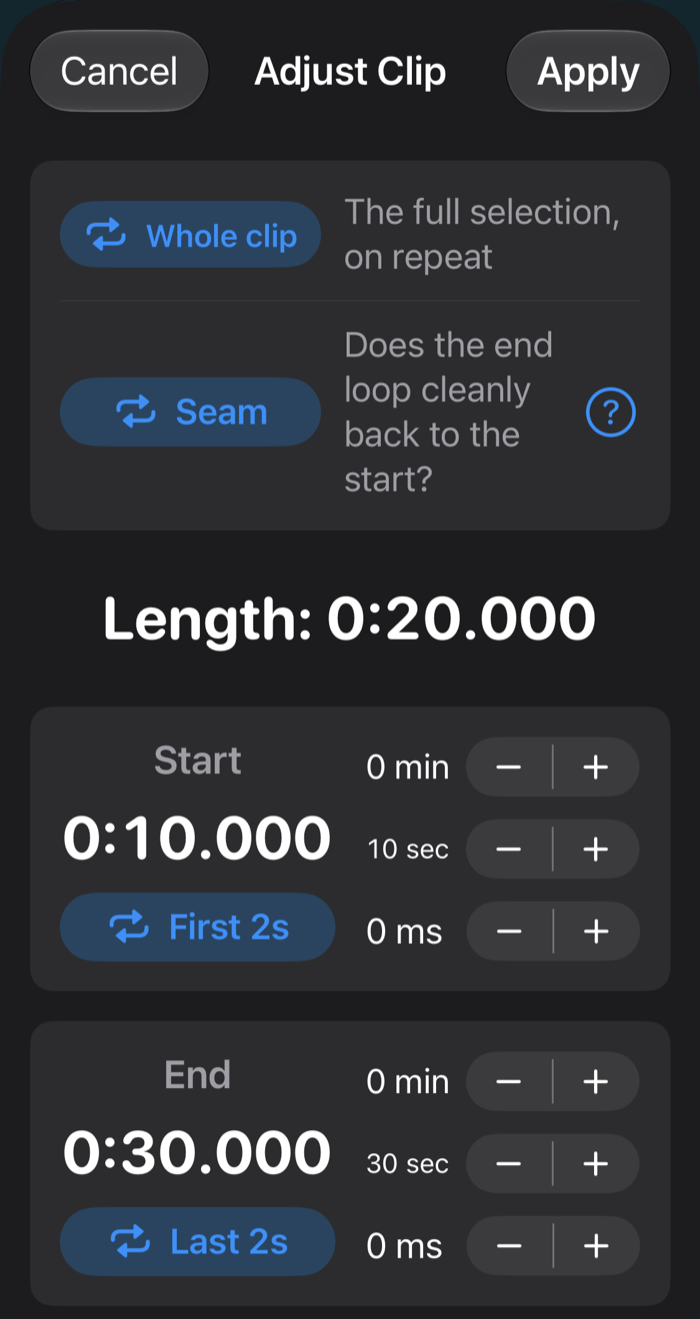
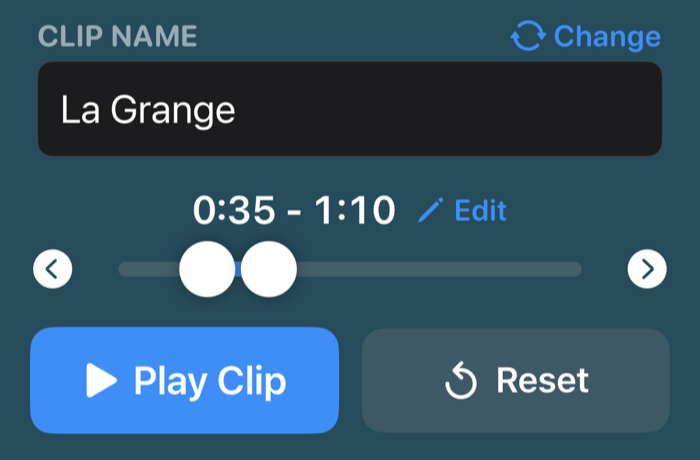
The full editor: start and end to the millisecond, seam check. Tap to put it back.
Try it: drag the knobs, or use the arrow buttons (‹ ›), to find the moment, then Play Clip.
01 / Music
You name the place.
We name the time.
Gym Jockey starts the clip you chose the moment you start the lift, so the music hits when you do — not three minutes into the track. And if what you need isn’t music, use that instead: your own voice, a cadence, whatever works.
- Heavy squat? Save the killer 32 seconds that get you psyched.
- High-rep set? Pick something relentless.
- Need cadence? Record yourself: “And up! 3, 2, 1, hold…”
- No idea? Browse what other lifters swear by.
Clips are optional. Without them, the app still talks you through every set.
You always know where you are.
02 / Orientation
You focus on the lift.
We focus on the rest.
You shouldn’t need a screen to know where you are. Under the bar you’re locked in: you know what you’re chasing, and your song is already pumping. Between sets you can drift off. Gym Jockey keeps your place, and when it’s time, it brings you back and tells you what’s next. Nothing to watch. Nothing to hunt for. Nothing to remember.
- Missed something? Tap Back on your headphones and hear it again.
- Still not sure? A glance at the Watch or the phone says the same thing.
Good intentions by design.

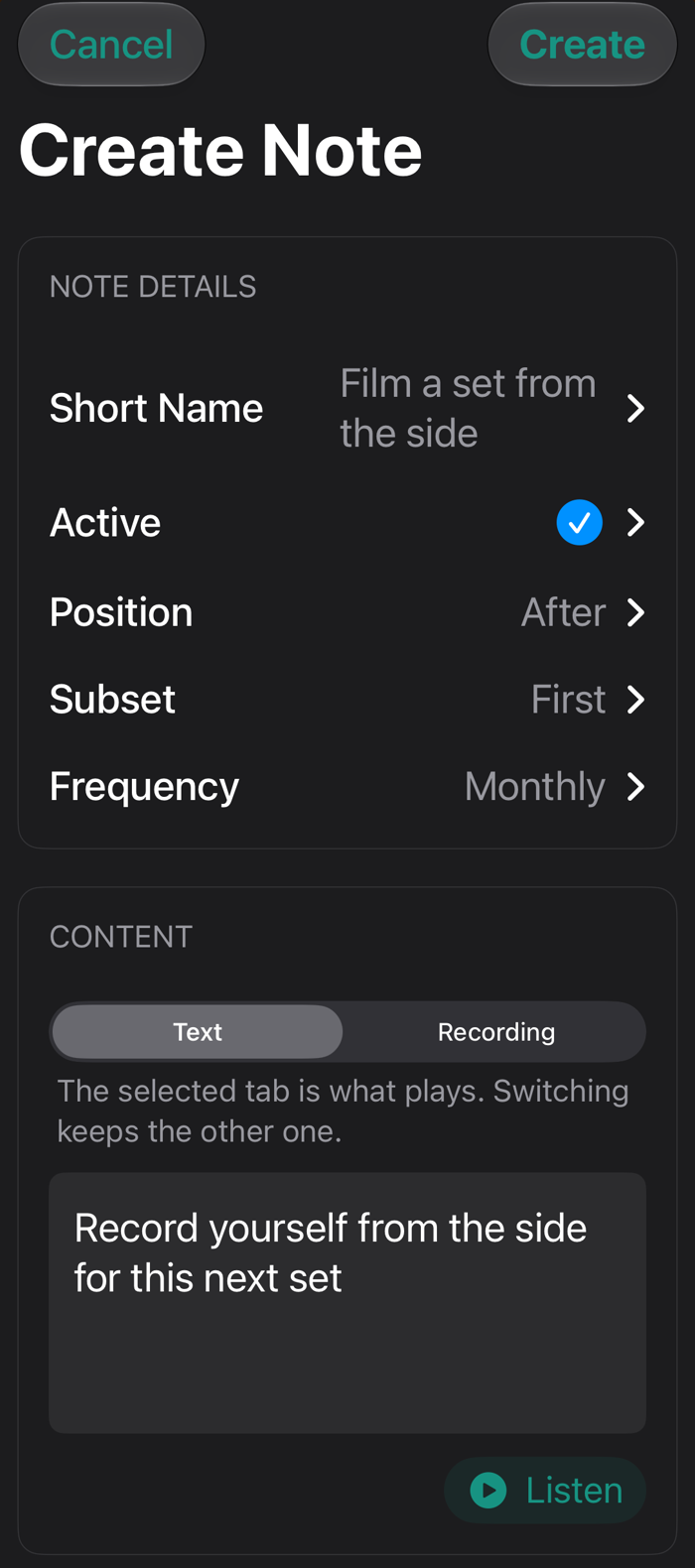
03 / Notes
You write the cue cards.
We deal them.
Maybe you want one reminder, now and then. Maybe you’ve broken an exercise down properly and there’s a lot to say. Write as much as you like: Gym Jockey feeds it back on your terms — in your own voice, if you want — and never more at once than you asked for.
- The machine you can never remember how to set up.
- That last set of deadlifts, when your form starts to go.
- The mobility work you promise yourself you’ll do while resting.
- And if you’re the one who forgets to wipe the bench — Gym Jockey is happy to mention it.
The clock doesn't know how you feel.
- Set 12:00
- Set 22:30
- Set 33:00
- Set 4♥under 130 bpm, then 30 s more, typically between 2:00 and 5:00
In your ears: tones as the rest runs down, subtle at first, more insistent near the end
- Min recovery time
- 0:20
- Max recovery time
- 1:05
- Heart-rate threshold
- 130 bpm
- Time below threshold
- 15 s
Shortened for the demo. In the gym, typically between 2:00 and 5:00.
Press Start, then bring your pulse down with the heart or the minus button (−), and watch recovery end when your body is ready.
04 / Rest
We mind the gate.
You catch your breath.
Rest has two jobs, and counting down the seconds is only one of them. You want enough rest — the right amount for this set, not the average of five. And you want to be under the bar when it’s time, not just starting to notice. So you set the rest, and Gym Jockey counts it down in your ears: tones, subtle at first, more insistent near the end. You’re rested and ready to roll straight into the next set. Add it up over a workout and it’s minutes back — without cutting a single rest short.
- Same rest every set, if that’s what you want. Nothing wrong with the classic.
- Or give each set what it actually needs — the fifth one isn’t the first.
- Or stop guessing: rest until your heart says you’re ready, read from your Apple Watch or a Bluetooth chest strap.
Faster than you can forget it.
05 / Memos
We hold the thought.
You hold the bar.
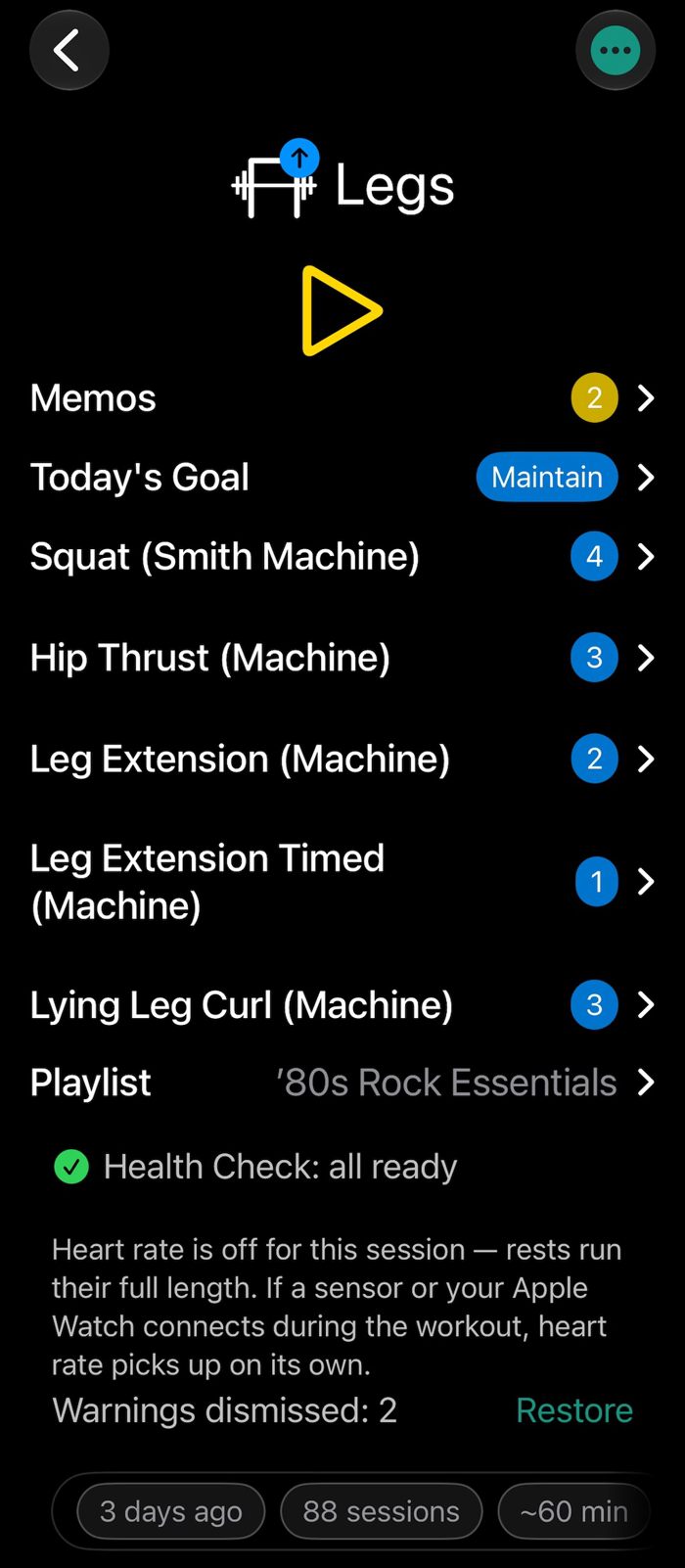
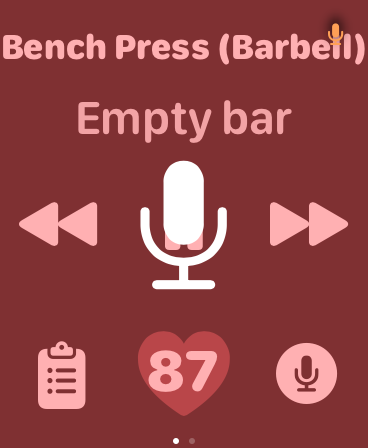
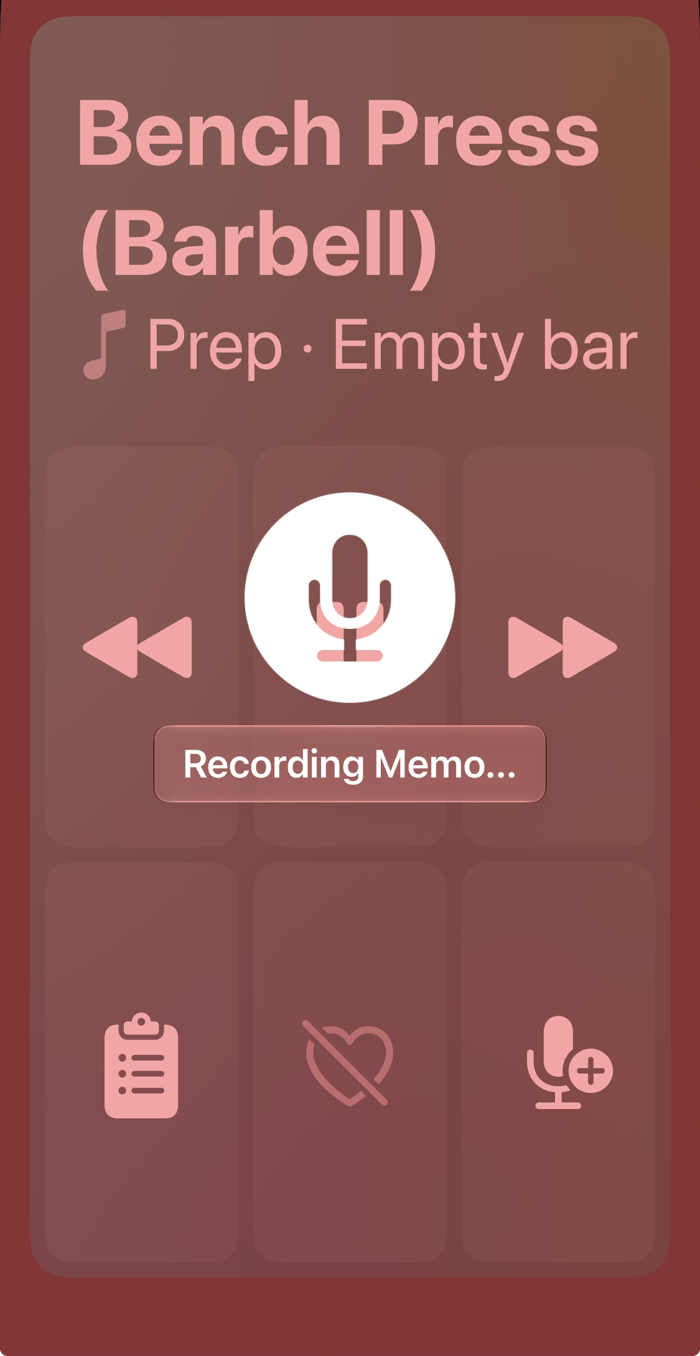
The thought arrives mid-set and it’s gone by the next one. Writing it down means unlocking the phone, finding somewhere to put it, typing with chalk on your fingers — and then remembering, days later, that you wrote it at all. So just say it, while it’s still hot: the mic is right there, on the phone and the Watch. Tap and hold, get it out, get back under the bar. You don’t have to remember to go back to it. It comes back to you.
- That grip felt wrong. Say it now, fix the exercise later.
- The bar moved too easily. Say it now, add weight next time.
- Shoulder twinged on the third rep. Say it now, decide later.
- It comes back before and after every session, until you deal with it.
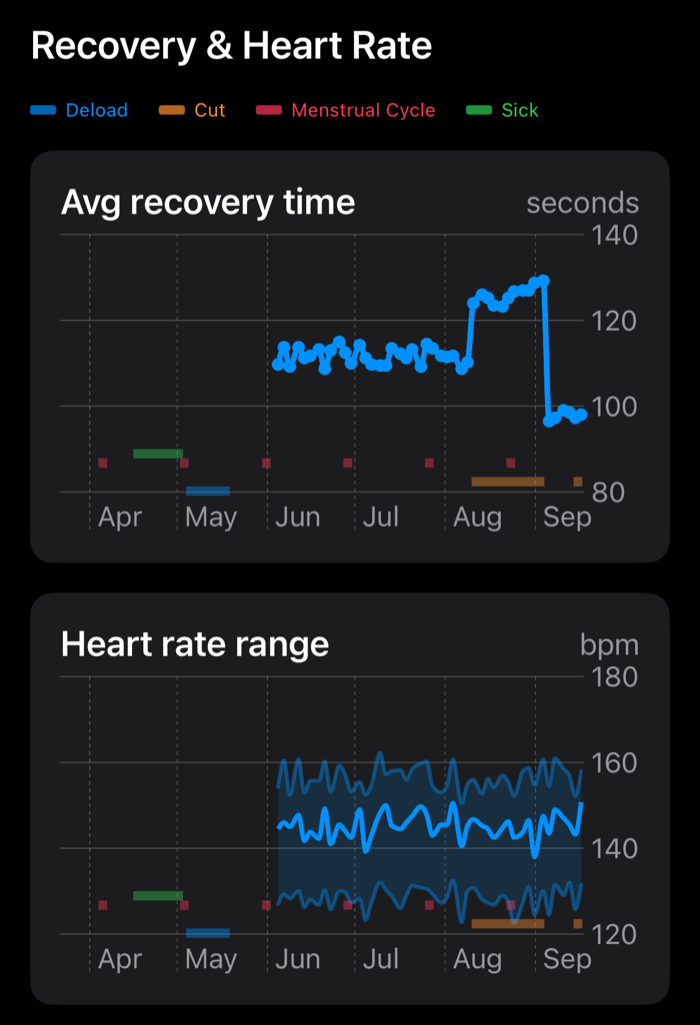
Tracking is the effort. This is the payoff.

06 / Tracking
You track it.
We connect it.
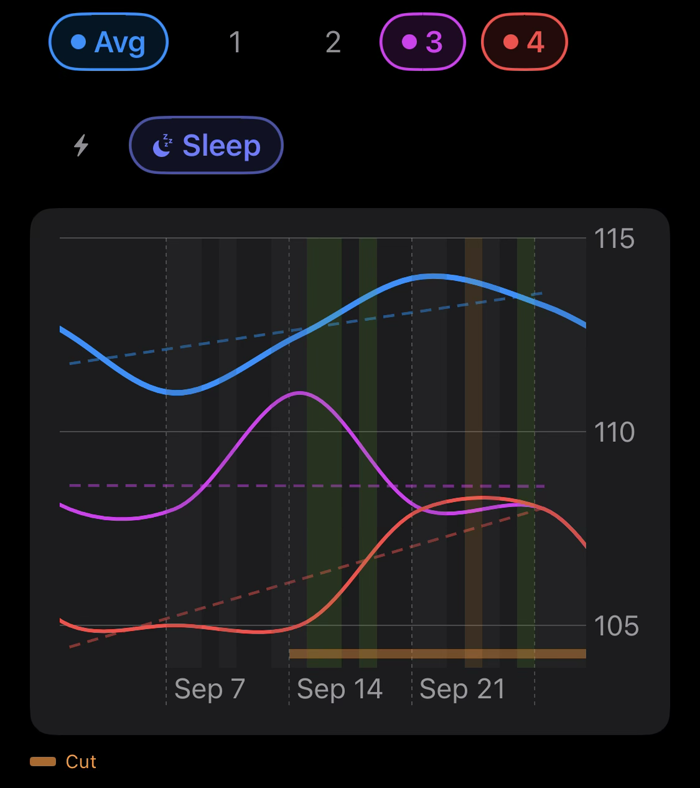
Tracking is the easy part. Tying it to what you lifted is the hard part. Here, whatever you choose to track is drawn against your sets, so you can see why it happened, not only what happened.
- Rough month? See whether it lines up with the cut, the cold or the travel.
- Sleeping badly? Watch what it does to your numbers, week by week.
- Only watching the average? Open any exercise set by set — the first set can stall while the last one climbs, and the average hides both.
- Changed programs? The line through the chart says when.
- Years of history elsewhere? Bring it with you and look before you lift.
 Whatever's within reach.
How you run it
More time in the zone.
Less time on your phone.
If the app talks to you through your headphones, the buttons on those headphones are the natural way to answer. Everything else is for the moments three buttons aren't enough, and the screen comes last.
- Headphones
- Play, back, forward. Back replays your targets when you've already forgotten them. Forward ends a rest that's dragging on. Most sets, that's all you touch.
- Watch
- When you need more than three buttons: log a set with the crown, skip an exercise, mute the music, hold the mic for a memo. The next-set call lands on your wrist.
- Siri
- When your hands are full: the reps you did, how hard it felt, play and pause — said, not typed.
- iPhone
- Everything the Watch does, for when you don't wear one or want a bigger screen. If the rack is taken, Up Next lets you start another exercise now and come back to this one after.
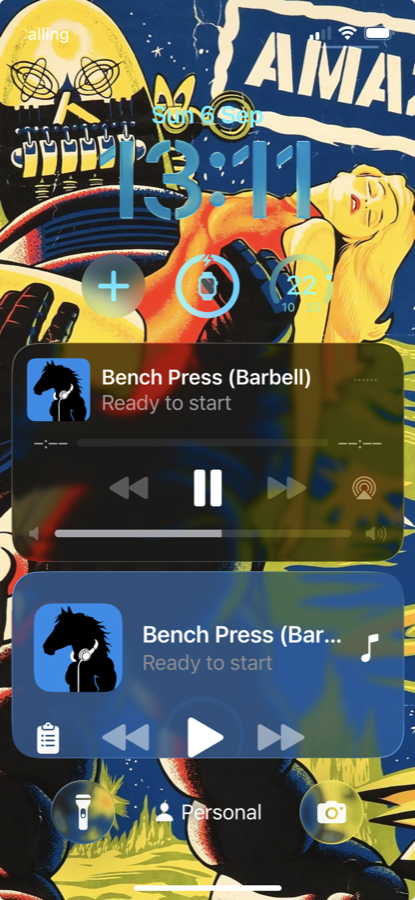
- Lock Screen
- In a pinch: the countdown and the controls, without unlocking the phone.
The workout
You've heard two sets. A real workout is longer: the check-in before it, the wrap-up after it, and everything the app does in between that you didn't hear.
Walk through a whole workoutFor coaches
Your voice in your clients' ears — cues and notes spoken mid-set, at the moment they're needed. And their sessions come back to you: every set they logged, their check-ins, their memos, in your own reports.
See coachingThe gate is open
Wanted:
spotters.
Gym Jockey is built by one independent developer. It’s in TestFlight beta right now, and beta testers are shaping what it becomes.
Open this page on your iPhone, or point its camera at the code.
On your phone: get TestFlight, open it, tap through Apple's welcome screens, then Accept and Install.
Free during the TestFlight beta. What's TestFlight?
Beta full? Get in touch.
Open on your iPhone. Headphones recommended.