Getting Started
Start small or jump straight in: pick the way in that fits you.
A new app is hard to start from either end. If you’re new to lifting, you don’t know what to put in it. If you’ve been lifting for years, you already have a program and a history, and you won’t start again from zero. Pick the line that sounds like you and skip the rest:
- Press play — TL;DR: try one exercise on the couch, or run a demo, and hear the whole thing in a few minutes.
- Test the waters — want proof before you commit? Use one exercise for a few sessions.
- Off the rack — ready to go? Install a program and train today.
- Bring your own data — years of logs somewhere else? Import them and keep your history.
- Roll your own — know exactly what you want? Have it made to measure.
Press play
The first time you open the app, Quick Start offers to set up one exercise for you. Tell it what you have to train with, from a barbell to nothing at all, and what you want to hear while you rest: one of your Apple Music playlists, the app’s own music, or silence. Run it now then starts it in Couch Mode, a guided practice run where nothing is saved. Close your eyes and see how much you can follow with the voice alone. At the end you set your rep range and a starting weight, and the exercise is ready for the gym. If you’ve already been through the first launch, Run Onboarding Again in Settings brings Quick Start back without erasing anything.
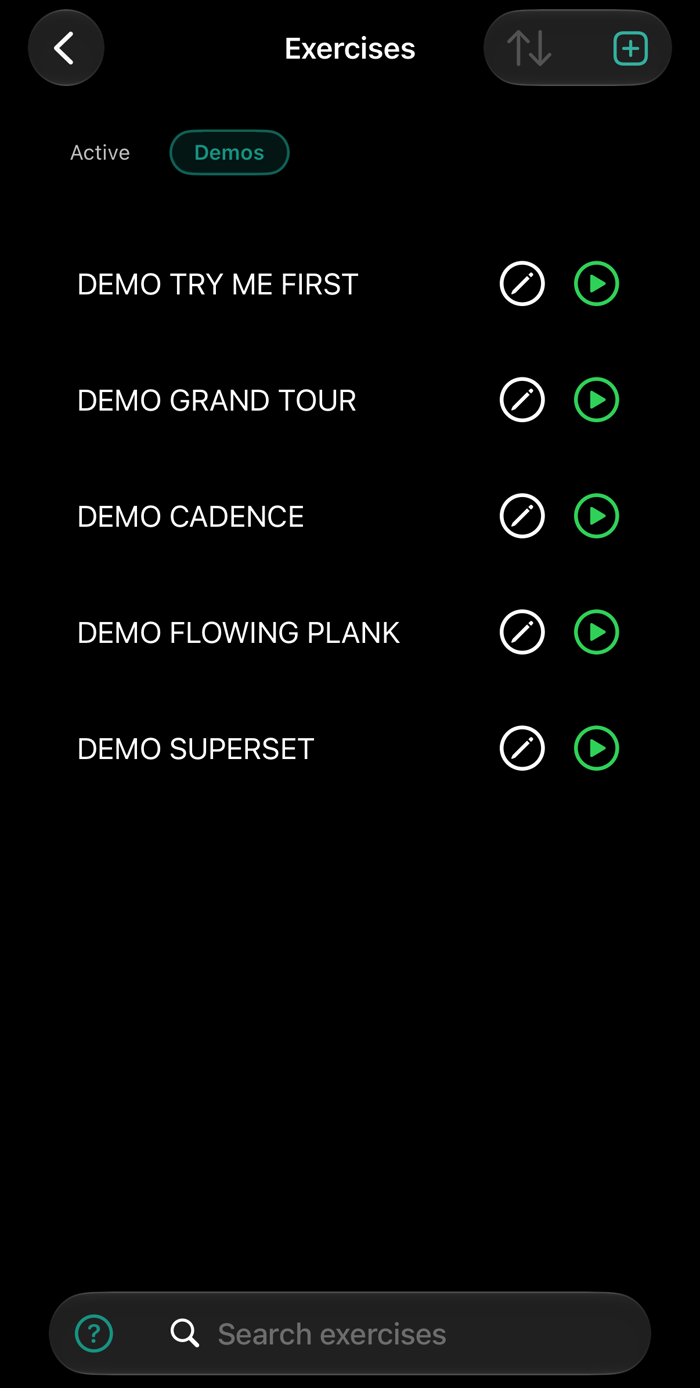
Or skip the setup: open DEMO TRY ME FIRST, the first of the demo exercises, and press play. You can do it now, sitting down. It’s a short bench press, an empty-bar warm-up and two working sets, and you hear the voice, the plate calls, the music and the rest as they’ll sound in the gym.
The other demos show things you wouldn’t guess from an empty exercise: a curl that runs to a cadence you recorded yourself, a plank that runs from start to finish without you touching anything, and a superset. DEMO GRAND TOUR is the long one. It spends less time on how a workout feels and more on what the app can do.
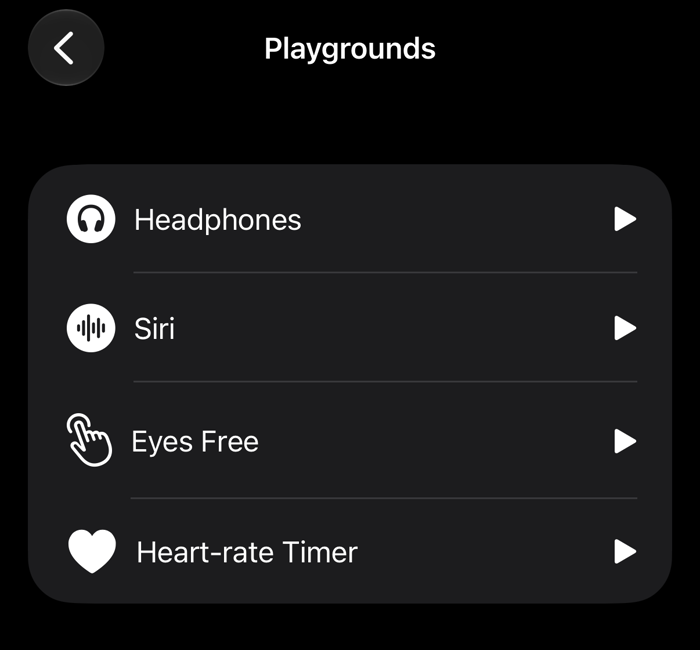
If the headphone buttons don’t do what you expect, or you’d rather use Siri, practice in the Playground. No workout is running, so it’s stress-free, and you can repeat a command until it’s a reflex.
Test the waters
You don’t commit to a years-long relationship on the first date. Take one exercise, from the catalog or a duplicated demo, and give it at least three sessions. By the third, the voice, the rest and the headphone buttons will feel familiar. Before its first real workout, any new exercise can run as a Dry Run: the same kind of practice run, with nothing saved.
Then start changing things. There are a lot of settings, and you don’t need any of them on day one:
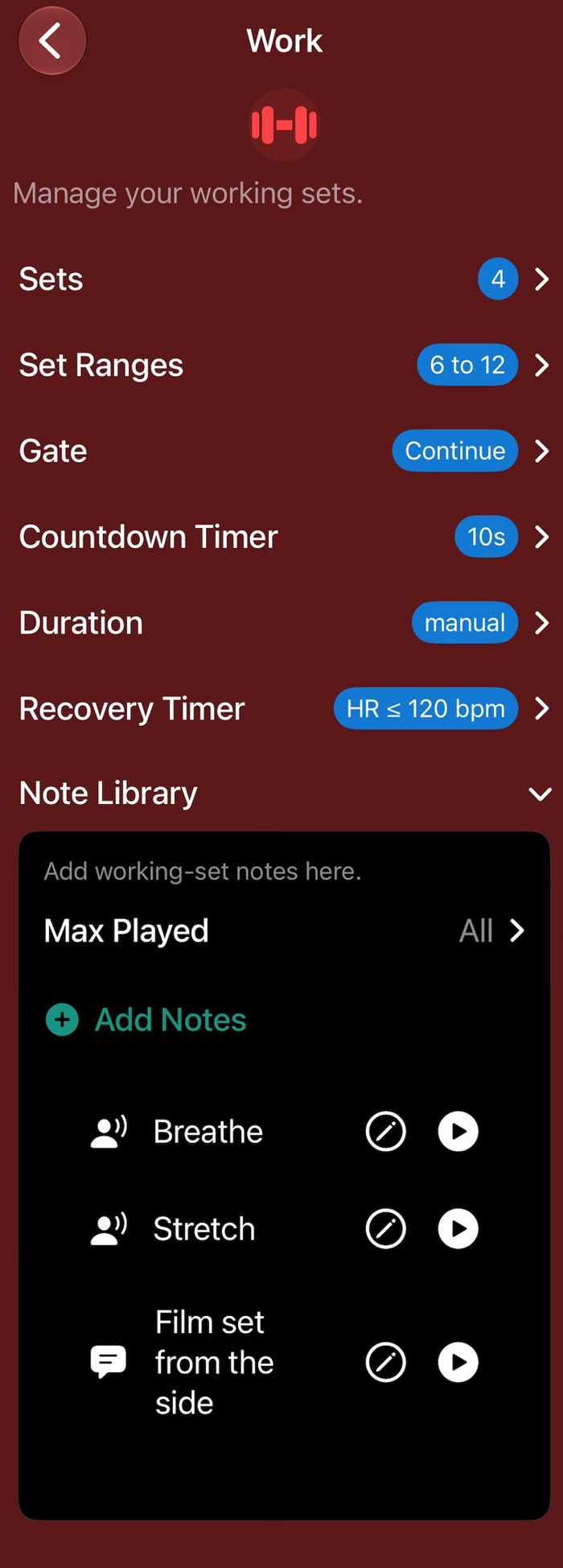
- Notes — cues and reminders, spoken at the moment they matter, in the app’s voice or your own.
- Timers — the countdown before a set; rest that’s the same every set, set per set, or ended by your heart rate; sets that end on the clock.
- Music — the part of the song that loops while you work.
- Gates — where the exercise waits for your signal, and where it rolls straight into the next stage.
- Headphones — an app-wide setting makes an accidental pause mid-set skip ahead instead of stopping you.
Exercises & Routines explains every setting.
Off the rack
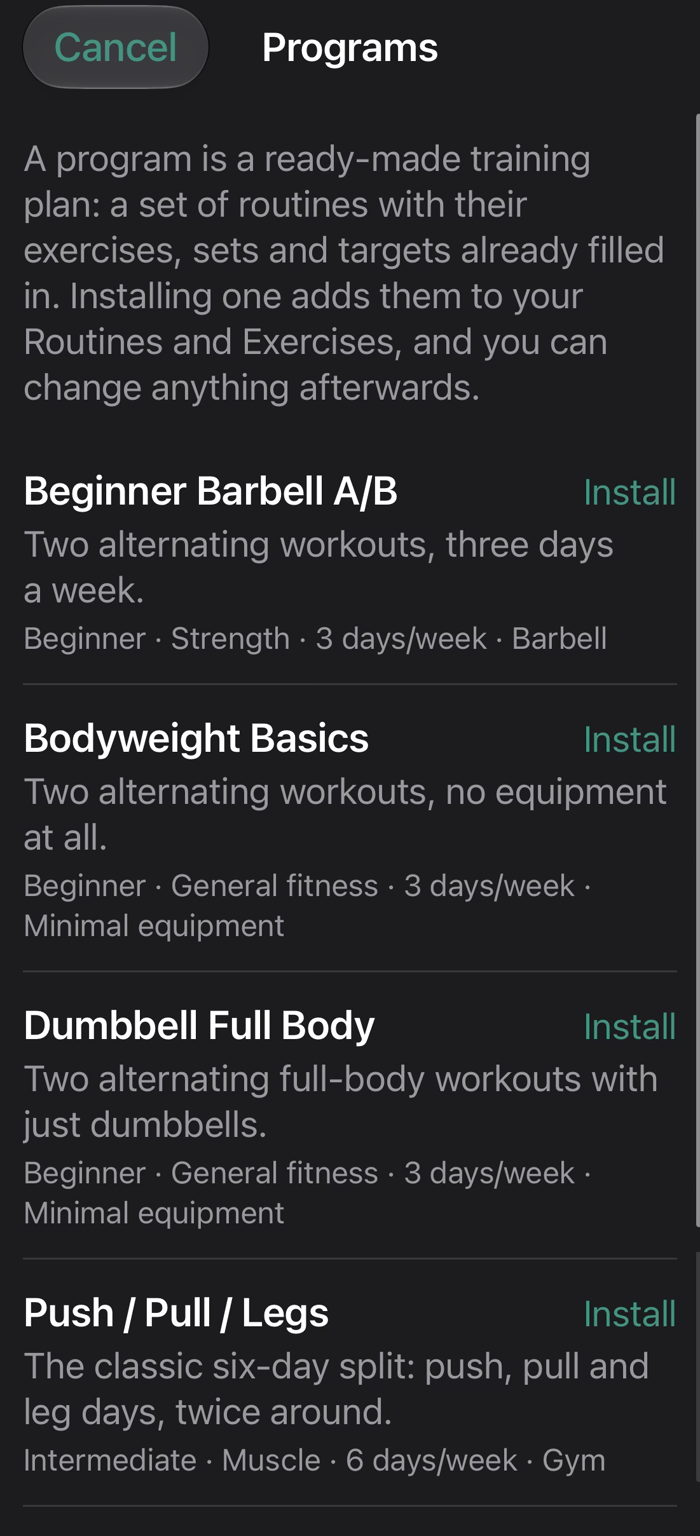
Want a full set of exercises that’s good to go today? Install a program. It works out of the box, and you change things when you see fit. There are four public strength programs, each with its routines and exercises: a beginner barbell A/B, a dumbbell full-body, a push/pull/legs split, and a bodyweight program that needs no equipment. Each is tagged with its level, goal, days a week and equipment, so you can see whether it fits before you install it.
An installed program is ready to play. The working sets have sensible ranges and the rest is already set. The app computes the warm-ups from the day’s working weight as a plate-by-plate ladder: the bar, then ten a side, then twenty, and never a pile of small plates.
Thirty exercises also come with short cues, spoken at the right moment during the set. They’re the standard coaching points for each lift; we didn’t invent them. Include coaching cues is on by default, and you can switch it off to start clean. You’re asked when you install a program, and at the end of the new-exercise wizard when the exercise you picked has cues, so exercises you add yourself get them too. The exercises with cues:
- Barbell: Squat (Barbell) · Bench Press (Barbell) · Bent Over Row (Barbell) · Standing Military Press (Barbell) · Deadlift (Barbell) · Romanian Deadlift (Barbell) · Bicep Curl (Barbell) · Hip Thrust (Barbell)
- Dumbbell: Goblet Squat · Bench Press (Dumbbell) · Incline Bench Press (Dumbbell) · Bent Over Row (Dumbbell) · Dumbbell Row · Lunge (Dumbbell) · Shoulder Press (Dumbbell) · Lateral Raise (Dumbbell) · Romanian Deadlift (Dumbbell) · Bicep Curl (Dumbbell)
- Cable & machine: Lat Pulldown (Cable) · Triceps Pushdown · Face Pull · Leg Press (Machine)
- Bodyweight: Squat (Bodyweight) · Push Up · Lunge · Plank (Body Weight) · Pull Up · Chin Up · Chest Dip · Triceps Dip
Onboarding offers the programs right after the questions about you, so you can train before you’ve built anything. They’re also in the routines list whenever you want them.
Looking for a program that isn’t here? Get in touch: support@gymjockey.com.
Bring your own data
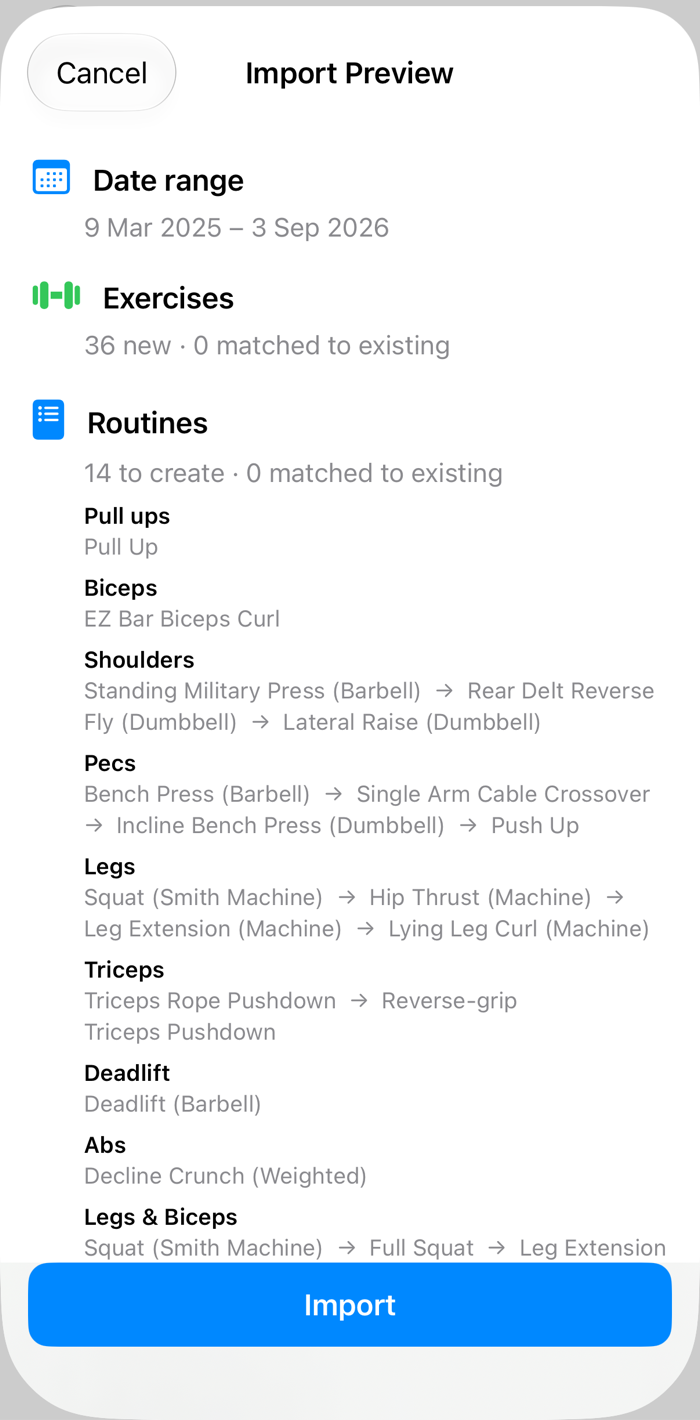
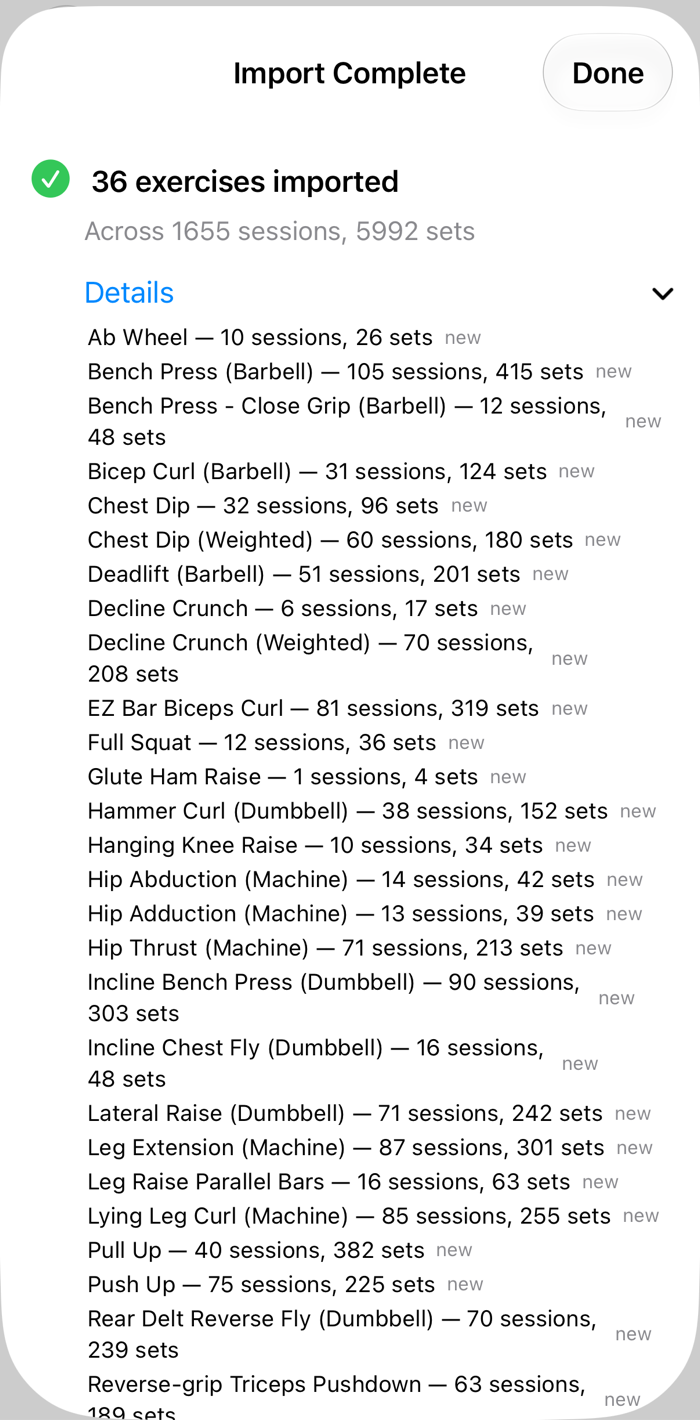
If you’ve been training for years, the last thing you want is to start from scratch and build a dozen exercises by hand before you can lift. Bring your history instead. Gym Jockey imports from Hevy today and turns your logs into exercises you can play, with every past set behind them. Even before you log a set here, you can look at your own data in Reporting.
Using something else? Get in touch. During the beta I’ll make every effort to get your data in: a new importer if your app is a common one, or a one-off conversion if it isn’t. Export what you have and send it to support@gymjockey.com. I use it for the import and nothing else.
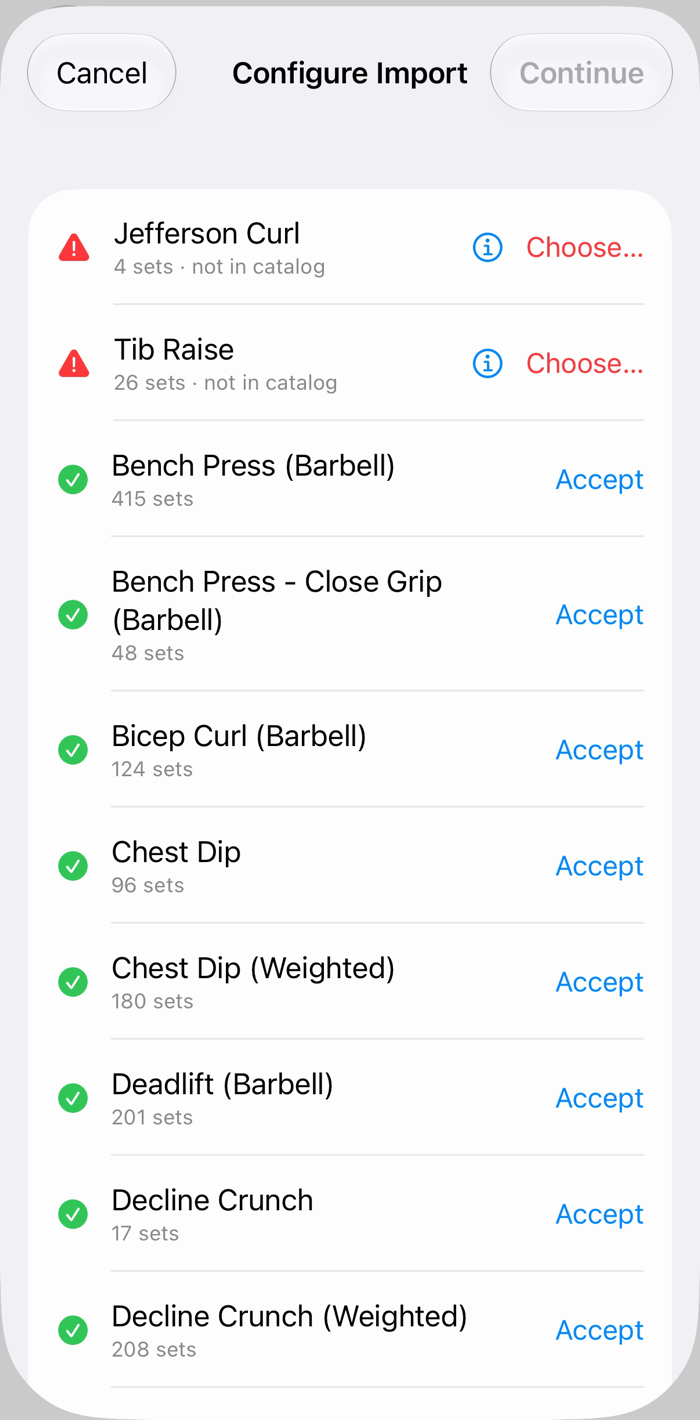
Be aware that a log holds less than a Gym Jockey exercise. A CSV doesn’t know your rep ranges, or that your bench is a barbell with a bar weight. The importer makes its best guess from what you did, and when it doesn’t recognize a name it asks you instead of guessing. Nothing is written until you’ve seen a preview, and importing the same file again won’t double your history.
Roll your own
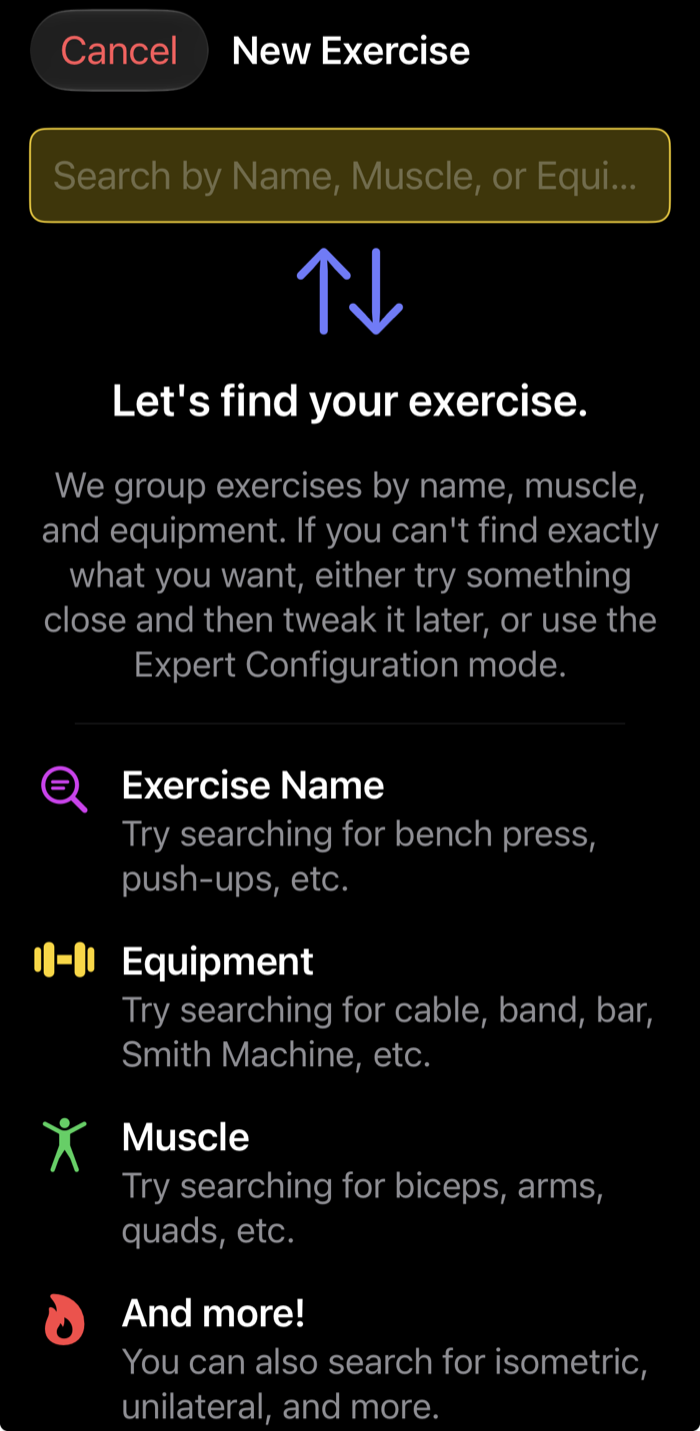
Know exactly what you want? Start from the catalog of nearly 500 exercises and let the wizard take you through the rest, one screen at a time. Search by name, muscle or equipment (“cable”, “quads”, “Smith machine”) and pick the closest match. The wizard fills in the equipment, the sets and ranges, the warm-up and the music. If nothing matches, take something close and change it, or switch to expert configuration and build it by hand. Every choice has a sensible default, so a new exercise takes about a minute, and you can reopen every choice later on the exercise itself.
It handles whatever you lift with:
- Barbells — Olympic, women’s, EZ curl, trap, safety squat and more.
- Dumbbells, a pair or just one.
- Machines — a sled’s own weight can count in your totals without you adding it up every session.
- Bands, in your own colors.
- Bodyweight — with your own weight counted in if you like, plus added weight or assistance.
- Timed holds and supersets.
You can also start from anything you already have. Duplicate it and change what you like: a different bar for your bench press, a superset instead of a single movement, or timed sets that count your reps over a fixed time.
Open this page on your iPhone, or point its camera at the code.
On your phone: get TestFlight, open it, tap through Apple's welcome screens, then Accept and Install.
Free during the TestFlight beta. What's TestFlight?
Beta full? Get in touch.